What Are Spotify Pre-Save Campaigns? How to Launch One in 2026
A Spotify pre-save campaign lets fans add your upcoming release to their library before it drops. The moment the track goes live, it appears in their Saved Songs and Release Radar, giving you a burst of day-one streams that signals the Spotify algorithm to push the record further. For independent artists, labels, and managers planning a release in 2026, pre-saves are one of the most reliable tools to turn anticipation into algorithmic momentum.
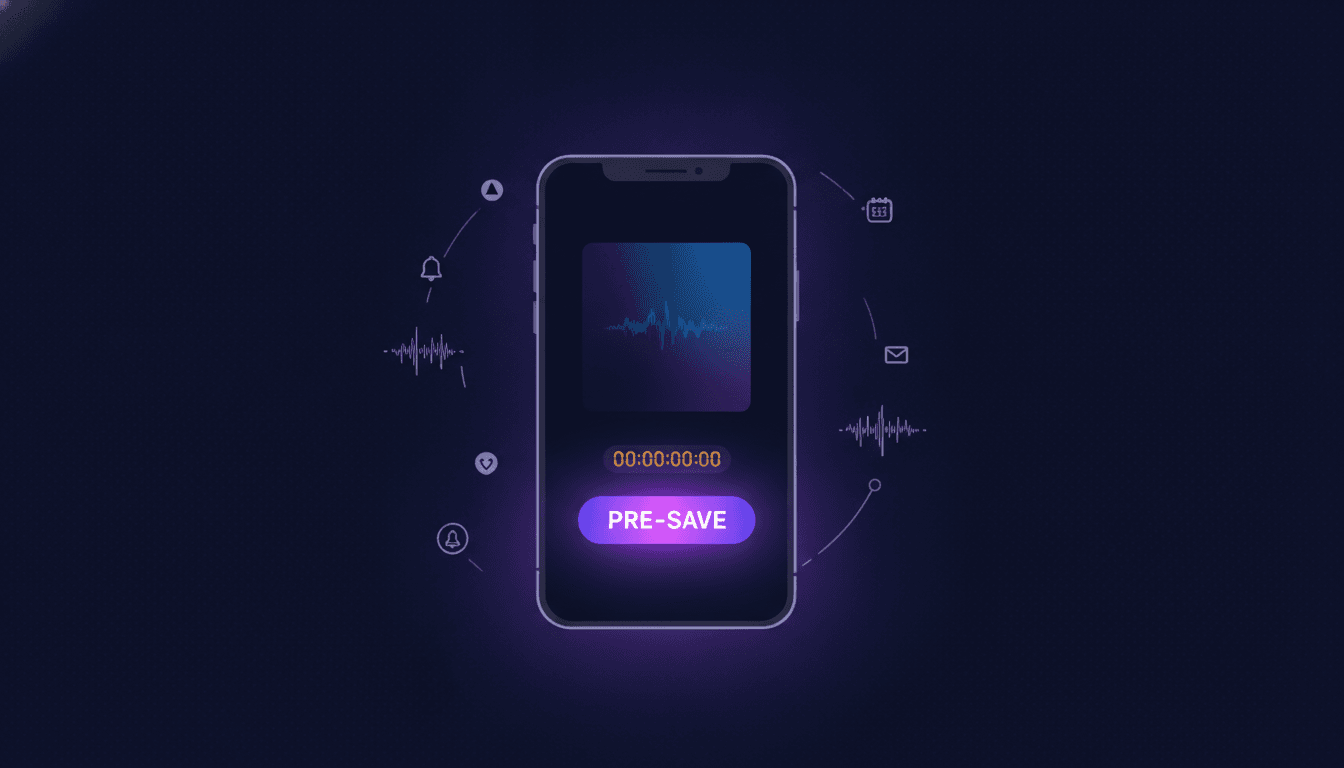
A Spotify pre-save campaign lets fans add your upcoming release to their library before it drops. The moment the track goes live, it appears in their Saved Songs and Release Radar, giving you a burst of day-one streams that signals the Spotify algorithm to push the record further. For independent artists, labels, and managers planning a release in 2026, pre-saves are one of the most reliable tools to turn anticipation into algorithmic momentum.
This guide breaks down exactly what a pre-save is, why the Spotify algorithm rewards it, how to set up a campaign step by step, and how to measure whether it actually worked.
What Is a Spotify Pre-Save Campaign?
A pre-save campaign is a marketing tactic where listeners commit to saving your unreleased track or album on Spotify ahead of the release date. Once the music goes live, Spotify automatically adds it to each fan's library and factors it into personalized playlists like Release Radar. Think of it as a digital pre-order, but instead of a purchase, the fan is promising a stream.
Pre-saves work through third-party landing pages that connect to a listener's Spotify account via OAuth. The fan clicks a single button, grants permission, and the save happens automatically on release day. No extra steps, no reminders needed.
For artists and labels, the value is straightforward: pre-saves concentrate listener activity into the first 24 to 48 hours after release. That early velocity tells Spotify's recommendation engine the track deserves wider distribution across algorithmic playlists, search results, and personalized mixes.
Why Pre-Saves Matter for the Spotify Algorithm
Spotify's algorithm weighs early engagement signals heavily. A track that racks up saves, streams, and playlist adds in its first few days gets flagged as high-potential content. Pre-saves directly feed two of those signals: saves and first-day streams.
Here is what happens algorithmically when a fan pre-saves your release:
- Release Radar placement. Pre-saved tracks automatically appear in each fan's Release Radar playlist on Friday. This is not a pitch or a maybe. It is guaranteed placement for every fan who pre-saved.
- Save-to-stream ratio boost. A high ratio of saves relative to streams tells Spotify listeners value the track enough to keep it. That metric influences Discover Weekly, Radio, and other algorithmic surfaces.
- Editorial signal. Spotify's editorial team can see pre-save momentum when evaluating pitches. A track with 2,000 pre-saves before release tells curators the audience already exists.
The Spotify algorithm rewards tracks that show strong intent signals early. Pre-saves are the cleanest way to manufacture that signal before a single stream happens.
One critical detail: pre-saves only convert to streams if the fan actually listens. The save gets the track into the library, but repeat plays depend on the music connecting. Pre-saves amplify good music; they do not rescue bad releases.
How to Set Up a Pre-Save Campaign Step by Step
Setting up a Spotify pre-save campaign takes about 30 minutes once you have your distributor confirmation and release metadata. Here is the full process.
1. Confirm Your Release With Your Distributor
Upload your track or album to your distributor at least three to four weeks before your target release date. You need the Spotify URI or UPC code that the distributor provides after ingestion. Most distributors (DistroKid, TuneCore, CD Baby, AMUZE) deliver this within 24 to 72 hours of upload.
2. Choose a Pre-Save Platform
Select a pre-save link provider that supports Spotify OAuth integration. The best platforms let you customize landing pages, capture email addresses, and track conversion metrics. See the comparison table below for what to look for.
3. Build Your Pre-Save Landing Page
Create a branded landing page with:
- Album artwork or a teaser visual
- Release date displayed prominently
- One-click pre-save button for Spotify (add Apple Music and other DSPs if the platform supports it)
- Email capture so you own the fan relationship beyond the stream
- Social sharing buttons to encourage organic spread
Keep the page focused. One action, one button, one outcome. Every extra element on the page reduces conversion rates.
4. Set Up Tracking and Attribution
Before you share the link anywhere, configure UTM parameters or the platform's built-in analytics so you can trace which channels drive the most pre-saves. You want to know whether Instagram Stories, email newsletters, or TikTok posts are doing the heavy lifting.
5. Launch and Promote the Campaign
Start promoting your pre-save link two to four weeks before release. Here is a timeline that works:
- Week 4: Announce the release and share the pre-save link across all social channels. Pin it to your bio.
- Week 3: Share behind-the-scenes content (studio clips, lyric teasers, artwork reveals) with the pre-save link in every caption.
- Week 2: Run a countdown. Use Instagram Stories, TikTok, and email blasts. Consider a small paid ad budget ($50 to $200) targeting your existing followers and lookalike audiences.
- Week 1: Final push. Go live on social media, post the "one week away" reminder, and DM your most engaged fans directly.
- Release day: Thank everyone who pre-saved, share the full track link, and encourage playlist adds.
6. Pitch to Spotify Editorial (Simultaneously)
Submit your track to Spotify for editorial playlist consideration through Spotify for Artists at least seven days before release. Mention your pre-save count in the pitch notes. Editorial teams notice when a track already has momentum.
You can also pitch directly to independent playlist curators to stack algorithmic and editorial support on day one.
Best Tools and Platforms for Pre-Save Links
Not all pre-save platforms offer the same features. Here is what to evaluate when choosing one.
| Feature | What to Look For |
|---|---|
| Spotify OAuth support | Must connect directly to Spotify accounts for automatic saves |
| Multi-DSP support | Apple Music, Deezer, Amazon Music, and YouTube Music in addition to Spotify |
| Custom landing pages | Branded URLs, custom colors, artwork uploads, and mobile-responsive design |
| Email capture | Built-in email collection so you grow your mailing list with every pre-save |
| Analytics dashboard | Real-time tracking of pre-save counts, conversion rates, and referral sources |
| Social sharing tools | One-click share buttons and auto-generated Open Graph previews |
| Post-save actions | Redirect fans to follow your artist profile or join a playlist after they pre-save |
| Pricing | Free tiers exist, but paid plans ($5 to $20/month) unlock analytics and custom domains |
| Pixel support | Facebook and TikTok pixel integration for retargeting ad campaigns |
Several well-known platforms in the market offer these features at different price points. Evaluate at least two or three options before committing, and prioritize platforms that let you own the fan data (email addresses) rather than locking it behind their ecosystem.
Pre-Save Campaign Checklist
Use this checklist to make sure nothing falls through the cracks before, during, and after your campaign.
| Phase | Task | Status |
|---|---|---|
| Pre-Launch | Upload release to distributor (3 to 4 weeks early) | ☐ |
| Pre-Launch | Receive Spotify URI/UPC from distributor | ☐ |
| Pre-Launch | Select and set up pre-save platform | ☐ |
| Pre-Launch | Build landing page with artwork, release date, and CTA | ☐ |
| Pre-Launch | Configure UTM tracking and analytics | ☐ |
| Pre-Launch | Submit editorial pitch via Spotify for Artists | ☐ |
| Promotion | Share pre-save link across all social channels | ☐ |
| Promotion | Send email blast to existing fan list | ☐ |
| Promotion | Post behind-the-scenes content daily for 2 weeks | ☐ |
| Promotion | Run paid ads targeting existing and lookalike audiences | ☐ |
| Promotion | DM top fans and collaborators with personal ask | ☐ |
| Promotion | Pitch independent playlist curators | ☐ |
| Post-Release | Track day-one and week-one stream counts | ☐ |
| Post-Release | Monitor Release Radar and algorithmic playlist adds | ☐ |
| Post-Release | Analyze which promo channels drove the most pre-saves | ☐ |
| Post-Release | Follow up with new email subscribers | ☐ |
Where Music24 fits
Music24 is built for the work around a release. Add a song and it makes the posts and the videos, plans the rollout and publishes to TikTok, Instagram, YouTube, Facebook and Threads. Every song also gets one link page with pre-save, so fans are waiting on release day. Its analytics put your Spotify for Artists, YouTube and social numbers in one place, with each post next to the streams of the day it went out, so you can see what actually moved.
Start free with Music24: 7 days of the Pro plan, no card, then a Free plan for as long as you like.
Common Pre-Save Mistakes to Avoid
Even experienced teams make these errors. Here are the most common ones and how to fix them.
Starting too late. Launching a pre-save campaign three days before release gives fans almost no time to act. Start at least two weeks out; four weeks is better for larger releases.
Ignoring email capture. Pre-saves are great, but you do not own a Spotify follower. If you are not collecting emails through your pre-save landing page, you are leaving your most valuable asset on the table. Build the list every single campaign.
Overcomplicating the landing page. Every extra button, link, or visual element competes with the pre-save CTA. One page, one action. Remove everything that does not directly lead to a pre-save or an email signup.
Skipping the editorial pitch. Pre-saves and editorial pitches work together. A track with strong pre-save numbers is more attractive to Spotify's editorial team. Submit your pitch at least seven days before release through Spotify for Artists.
Not tracking channel performance. If you do not know whether Instagram, TikTok, or email drove the most pre-saves, you cannot optimize your next campaign. Use UTM parameters or platform analytics from day one.
Forgetting the post-release follow-up. The campaign does not end on release day. Follow up with fans who pre-saved, share milestone updates ("We hit 10,000 streams in 48 hours, thank you"), and convert one-time listeners into long-term followers. Growing your Spotify follower base turns a single release win into sustained career momentum.
Treating pre-saves as a vanity metric. A pre-save that does not convert to a stream is worth nothing. Focus on reaching real fans who will actually listen, not inflating a number with contest entries or incentivized clicks.
FAQ
What is a Spotify pre-save?
A Spotify pre-save is a feature that lets fans save an unreleased track or album to their library before the official release date. When the music goes live, Spotify automatically adds it to the fan's Saved Songs and includes it in their Release Radar playlist.
How many pre-saves do I need for Spotify to notice?
There is no official threshold, but most industry professionals see meaningful algorithmic impact starting around 500 to 1,000 pre-saves for independent releases. The real metric is the ratio of pre-saves to your existing follower count. A 10% conversion rate (500 pre-saves from 5,000 followers) signals strong fan engagement.
Are Spotify pre-saves free?
Creating a pre-save campaign is free for listeners (they do not pay anything). For artists, the cost depends on the pre-save platform you choose. Several platforms offer free tiers with basic functionality. Paid plans ($5 to $20/month) add analytics, custom branding, and email capture.
Do pre-saves count as streams?
No. A pre-save is not a stream. It only saves the track to the listener's library. The stream counts when the fan actually plays the track after release. However, because pre-saved tracks appear in Release Radar and Saved Songs, they are far more likely to be played on day one.
How far in advance should I start a pre-save campaign?
Two to four weeks before your release date is the sweet spot. This gives you enough time to build momentum without losing urgency. For major releases (debut albums, lead singles), consider starting even earlier with a teaser phase before the formal pre-save link goes live.
Can pre-saves help me get on Spotify editorial playlists?
Yes. While pre-saves alone do not guarantee editorial placement, Spotify's editorial team can see pre-save momentum. Including your pre-save count in your Spotify for Artists editorial pitch strengthens your case. Tracks with demonstrated audience demand are more attractive to playlist editors.
What happens if someone pre-saves but never listens?
The track still gets added to their library and appears in their Release Radar, but if they skip it or never open the app, it does not count as a stream. This is why targeting real fans matters more than chasing raw pre-save numbers. Quality pre-saves from engaged listeners are worth far more than thousands of hollow saves.
Get your music heard. Skip the content grind.
Add a song. Music24 makes the posts and the videos, plans your release and publishes it on every channel. Free for 7 days on the Pro plan, no card.